> ## Documentation Index
> Fetch the complete documentation index at: https://starforge.mintlify.site/llms.txt
> Use this file to discover all available pages before exploring further.
# Profile
> Your display name, your password, and every device signed in as you.
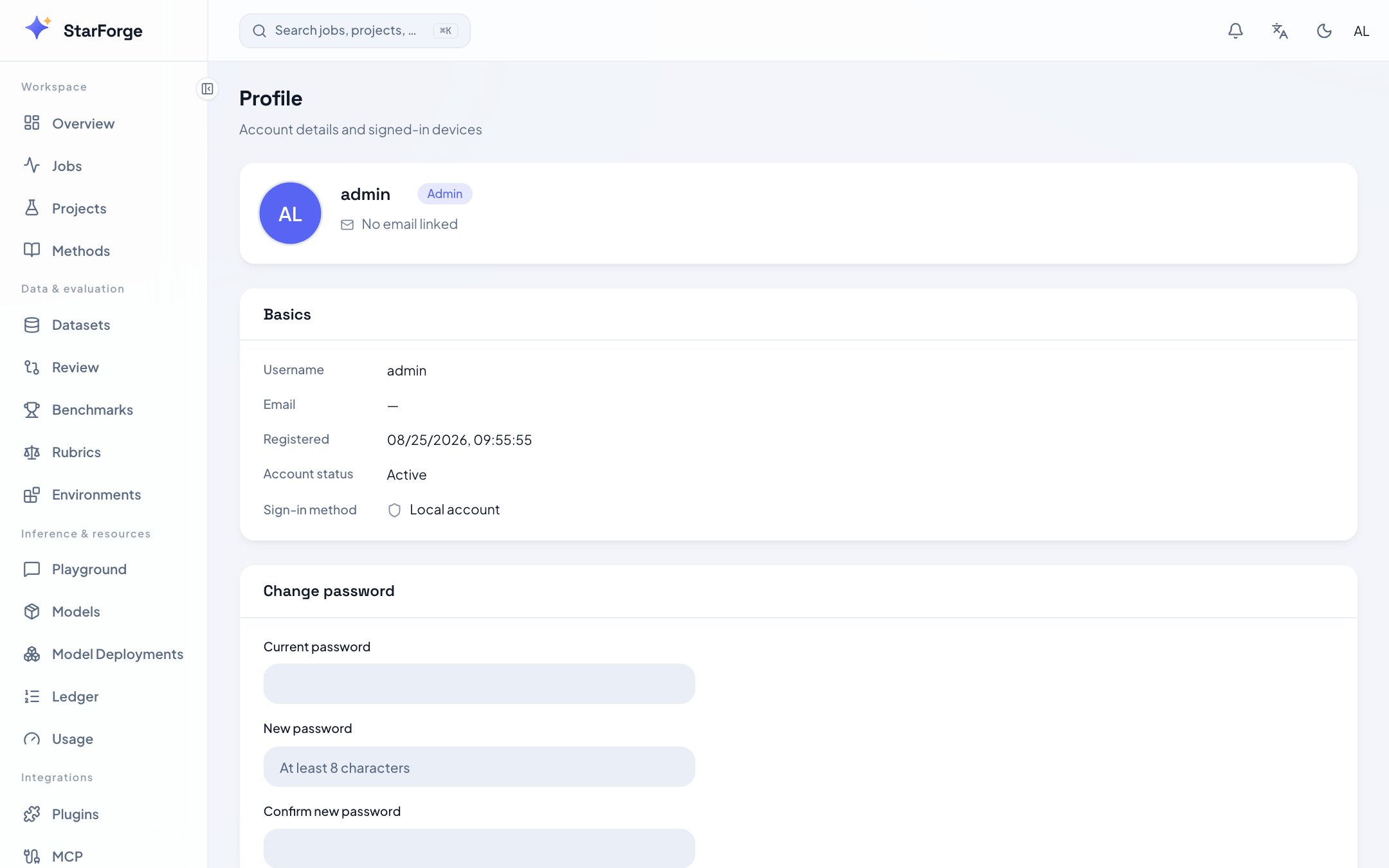 ## What you can do
| Action | Notes |
| ------------------------------- | ----------------------------------------------------- |
| **Change your display name** | What other people see next to your jobs |
| **Set or change your password** | At least eight characters |
| **Sign out one device** | Revokes that session; the device has to sign in again |
| **Sign out all other devices** | Everything except the one you are using |
## Signing in with SSO and a password
If you arrived through single sign-on you have no password. Setting one adds a second way in — SSO
keeps working, and username-and-password starts working too.
That is worth doing before you need it. A CLI session on a machine with no browser uses the
[device flow](/en/api-reference/authentication), which needs a browser *somewhere*; a password gives
you a path that needs none.
## Devices
Each entry is one refresh token: a browser session or a CLI login, with where it came from and when
it was last used. Signing out a device revokes its refresh token immediately, and on a deployment
with Redis configured its access token stops working at once rather than at expiry.
Sign out devices you do not recognise, then change your password. In that order — changing the
password first does not by itself end the other sessions.
## What you can do
| Action | Notes |
| ------------------------------- | ----------------------------------------------------- |
| **Change your display name** | What other people see next to your jobs |
| **Set or change your password** | At least eight characters |
| **Sign out one device** | Revokes that session; the device has to sign in again |
| **Sign out all other devices** | Everything except the one you are using |
## Signing in with SSO and a password
If you arrived through single sign-on you have no password. Setting one adds a second way in — SSO
keeps working, and username-and-password starts working too.
That is worth doing before you need it. A CLI session on a machine with no browser uses the
[device flow](/en/api-reference/authentication), which needs a browser *somewhere*; a password gives
you a path that needs none.
## Devices
Each entry is one refresh token: a browser session or a CLI login, with where it came from and when
it was last used. Signing out a device revokes its refresh token immediately, and on a deployment
with Redis configured its access token stops working at once rather than at expiry.
Sign out devices you do not recognise, then change your password. In that order — changing the
password first does not by itself end the other sessions.