> ## Documentation Index
> Fetch the complete documentation index at: https://starforge.mintlify.site/llms.txt
> Use this file to discover all available pages before exploring further.
# Score with a rubric
> One written standard that supplies both the training reward and the benchmark score.
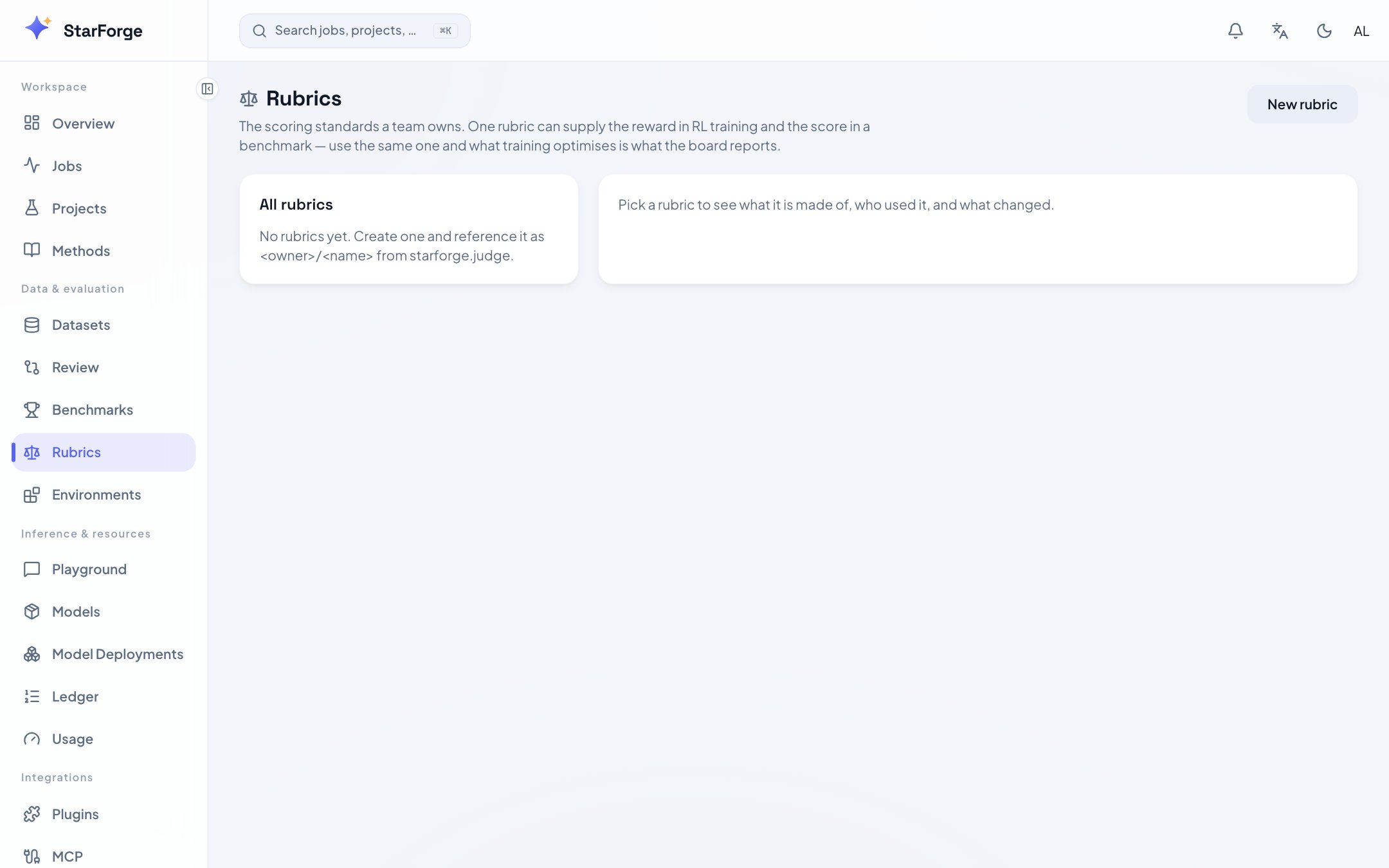 A rubric is your team's written standard for a correct answer. Use one wherever no rule decides
correctness: writing quality, tone, house conventions, whether an explanation actually explains.
What makes it worth having as an object is that **the same rubric can be both the reward your
training optimises and the score your benchmark reports**. The number going up during training is
then the number on the board — not a proxy that drifts away from it.
This page is about *using* a rubric. To write a good one — criteria, weights, versioning — see
[writing rubrics](/en/extend/rubrics).
## As a training reward
Declare it as an environment's verifier:
```json manifest.json theme={"theme":{"light":"github-light","dark":"github-dark-dimmed"}}
{ "verifier": { "kind": "rubric", "ref": "alice/answer-quality" } }
```
Every rollout is scored against it, and the score becomes the reward. The platform judge does the
scoring; your training code does not call an LLM itself.
Requires `FORGE_JUDGE_ENABLED` on the deployment — it is what injects the judge endpoint and token
into the job.
## As a benchmark
Declare it in a [benchmark pack](/en/extend/benchmark-packs) with the `judge` runner:
```yaml benchmark.yaml theme={"theme":{"light":"github-light","dark":"github-dark-dimmed"}}
schema: forge/benchmark/v1
name: answer-quality
title: Answer quality · customer support
runner: judge
suites: [support-questions]
rubric: alice/answer-quality
metrics:
- key: weighted_score
label: Weighted rubric score
primary: true
```
```bash theme={"theme":{"light":"github-light","dark":"github-dark-dimmed"}}
sf bench run my-bench -m run:run-4f2a91 --suites answer-quality
```
For that runner the rubric **is** the benchmark's definition. Swap the rubric and it is a different
benchmark, which is why it is a declared field rather than a flag.
## As a safety evaluation
The `safety` runner uses a rubric to decide whether the model declined what it should have. The
suite says which prompts should be refused; the rubric says what counts as refusing. Both belong to
your deployment — the platform ships neither, because either one would be it declaring a verdict it
has no standing to declare.
## Keeping training and evaluation honest
The temptation is to train against a rubric and evaluate against a slightly different one, usually
because somebody sharpened the training rubric mid-project. Do not. Reference the same
`/` in both, and let versioning carry the change:
```bash theme={"theme":{"light":"github-light","dark":"github-dark-dimmed"}}
curl -H "Authorization: Bearer $SF_TOKEN" \
https://starforge.your-company.com/api/rubrics/alice/answer-quality/usage
```
That lists which runs cited which version, and whether as a reward or as a score. It is the fastest
way to answer "were these two runs judged by the same standard".
Editing a rubric increments its version and invalidates the judge's cached scores for it. Old runs
keep pointing at the version they actually used, and the revision text is kept so you can still
read what that version said.
## Confirm it worked
```bash theme={"theme":{"light":"github-light","dark":"github-dark-dimmed"}}
curl -H "Authorization: Bearer $SF_TOKEN" \
"https://starforge.your-company.com/api/rubrics/resolve?ref=alice/answer-quality"
```
Resolves the reference the way a job would. If that answers, an environment or a benchmark pack can
name it.
During training, watch the reward distribution on the Validation tab rather than only the mean. A
judge-scored reward that collapses to two values usually means the criteria are not discriminating —
the rubric needs sharpening, not the model.
A rubric is your team's written standard for a correct answer. Use one wherever no rule decides
correctness: writing quality, tone, house conventions, whether an explanation actually explains.
What makes it worth having as an object is that **the same rubric can be both the reward your
training optimises and the score your benchmark reports**. The number going up during training is
then the number on the board — not a proxy that drifts away from it.
This page is about *using* a rubric. To write a good one — criteria, weights, versioning — see
[writing rubrics](/en/extend/rubrics).
## As a training reward
Declare it as an environment's verifier:
```json manifest.json theme={"theme":{"light":"github-light","dark":"github-dark-dimmed"}}
{ "verifier": { "kind": "rubric", "ref": "alice/answer-quality" } }
```
Every rollout is scored against it, and the score becomes the reward. The platform judge does the
scoring; your training code does not call an LLM itself.
Requires `FORGE_JUDGE_ENABLED` on the deployment — it is what injects the judge endpoint and token
into the job.
## As a benchmark
Declare it in a [benchmark pack](/en/extend/benchmark-packs) with the `judge` runner:
```yaml benchmark.yaml theme={"theme":{"light":"github-light","dark":"github-dark-dimmed"}}
schema: forge/benchmark/v1
name: answer-quality
title: Answer quality · customer support
runner: judge
suites: [support-questions]
rubric: alice/answer-quality
metrics:
- key: weighted_score
label: Weighted rubric score
primary: true
```
```bash theme={"theme":{"light":"github-light","dark":"github-dark-dimmed"}}
sf bench run my-bench -m run:run-4f2a91 --suites answer-quality
```
For that runner the rubric **is** the benchmark's definition. Swap the rubric and it is a different
benchmark, which is why it is a declared field rather than a flag.
## As a safety evaluation
The `safety` runner uses a rubric to decide whether the model declined what it should have. The
suite says which prompts should be refused; the rubric says what counts as refusing. Both belong to
your deployment — the platform ships neither, because either one would be it declaring a verdict it
has no standing to declare.
## Keeping training and evaluation honest
The temptation is to train against a rubric and evaluate against a slightly different one, usually
because somebody sharpened the training rubric mid-project. Do not. Reference the same
`/` in both, and let versioning carry the change:
```bash theme={"theme":{"light":"github-light","dark":"github-dark-dimmed"}}
curl -H "Authorization: Bearer $SF_TOKEN" \
https://starforge.your-company.com/api/rubrics/alice/answer-quality/usage
```
That lists which runs cited which version, and whether as a reward or as a score. It is the fastest
way to answer "were these two runs judged by the same standard".
Editing a rubric increments its version and invalidates the judge's cached scores for it. Old runs
keep pointing at the version they actually used, and the revision text is kept so you can still
read what that version said.
## Confirm it worked
```bash theme={"theme":{"light":"github-light","dark":"github-dark-dimmed"}}
curl -H "Authorization: Bearer $SF_TOKEN" \
"https://starforge.your-company.com/api/rubrics/resolve?ref=alice/answer-quality"
```
Resolves the reference the way a job would. If that answers, an environment or a benchmark pack can
name it.
During training, watch the reward distribution on the Validation tab rather than only the mean. A
judge-scored reward that collapses to two values usually means the criteria are not discriminating —
the rubric needs sharpening, not the model.