> ## Documentation Index
> Fetch the complete documentation index at: https://starforge.mintlify.site/llms.txt
> Use this file to discover all available pages before exploring further.
# Playground 页
> 网页起服务、聊天与 A/B 对比
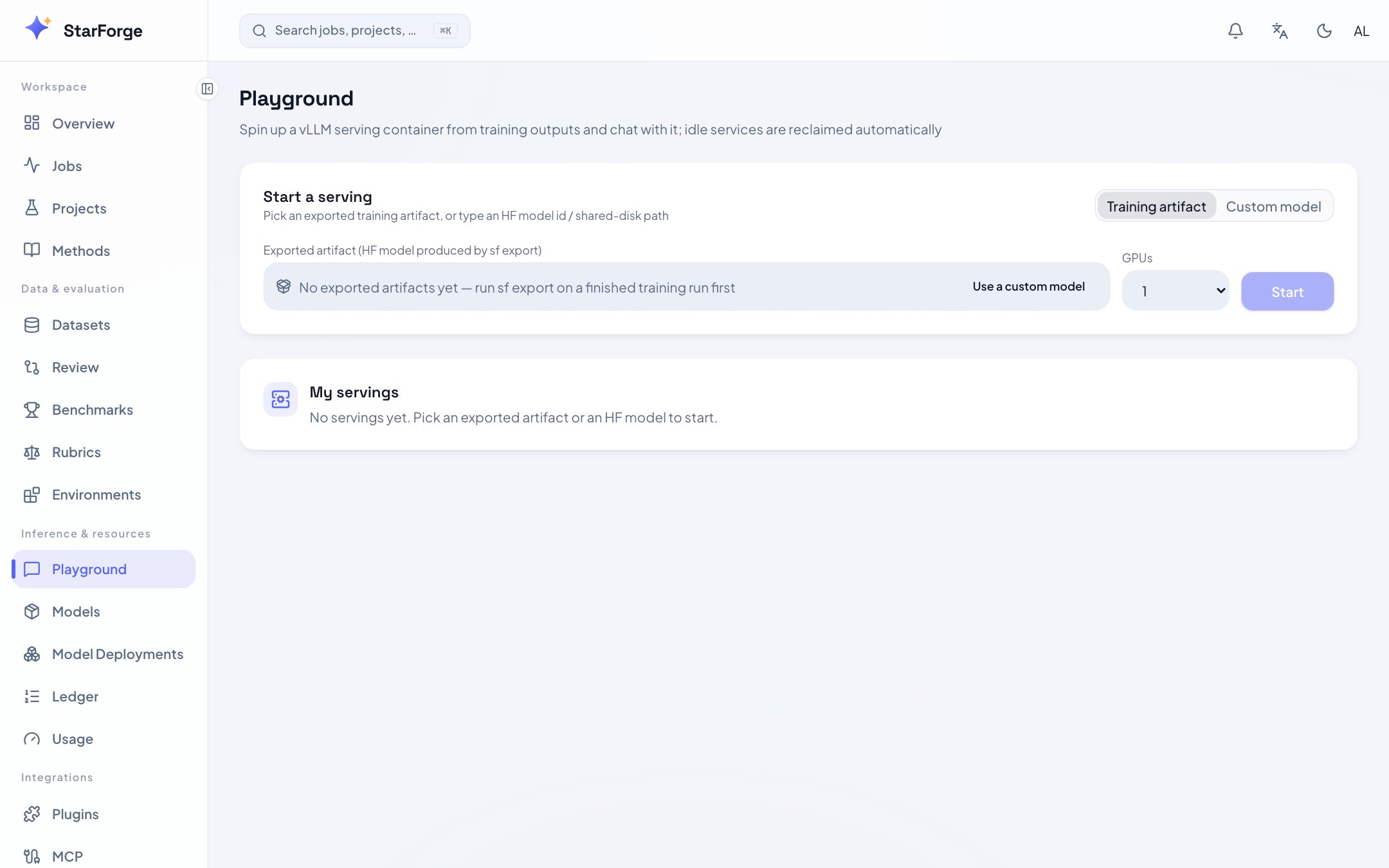
**Playground** 页(`/playground`)用于短时试用模型。服务带 TTL,到期自动回收;需要稳定端点、Token、自愈和 Revision 的场景请使用[模型部署](/zh-Hans/console/model-deployments)。
 ## 启动服务
1. 选择模型:**训练产物**下拉(有 hf\_export 的 run)或直接输入 HF id / 共享盘路径;
2. 选卡数(= 张量并行度)与 TTL;
3. 启动。状态卡实时显示:拉起中 → 就绪 → 剩余 TTL。
## 聊天
* 流式输出、可调 system prompt / temperature / max tokens;
* 会话历史留在本页(刷新即清,不入库)。
## A/B 对比
选两个就绪的服务并排:同一输入同时发送,输出并列渲染——SFT vs GRPO、v1 vs v2 的对齐差异直接肉眼可感。
## 管理
页面列出**我的全部服务**:端点地址、占卡、剩余 TTL、续期 / 停止按钮。TTL 到期自动回收(防「起了忘了关」)。
Playground 为可配置功能,管理员可按角色开放;slurm 后端暂不支持(训练节点通常无入向网络)。语义详见 [Playground 指南](/zh-Hans/guides/playground)。
Playground 不承诺长期可用性,也不提供稳定的客户端端点。不要把它接入生产或长期内网应用。
## 启动服务
1. 选择模型:**训练产物**下拉(有 hf\_export 的 run)或直接输入 HF id / 共享盘路径;
2. 选卡数(= 张量并行度)与 TTL;
3. 启动。状态卡实时显示:拉起中 → 就绪 → 剩余 TTL。
## 聊天
* 流式输出、可调 system prompt / temperature / max tokens;
* 会话历史留在本页(刷新即清,不入库)。
## A/B 对比
选两个就绪的服务并排:同一输入同时发送,输出并列渲染——SFT vs GRPO、v1 vs v2 的对齐差异直接肉眼可感。
## 管理
页面列出**我的全部服务**:端点地址、占卡、剩余 TTL、续期 / 停止按钮。TTL 到期自动回收(防「起了忘了关」)。
Playground 为可配置功能,管理员可按角色开放;slurm 后端暂不支持(训练节点通常无入向网络)。语义详见 [Playground 指南](/zh-Hans/guides/playground)。
Playground 不承诺长期可用性,也不提供稳定的客户端端点。不要把它接入生产或长期内网应用。