> ## Documentation Index
> Fetch the complete documentation index at: https://starforge.mintlify.site/llms.txt
> Use this file to discover all available pages before exploring further.
# 提交台账
> 服务端记录的每一次准入提交,从新到旧。
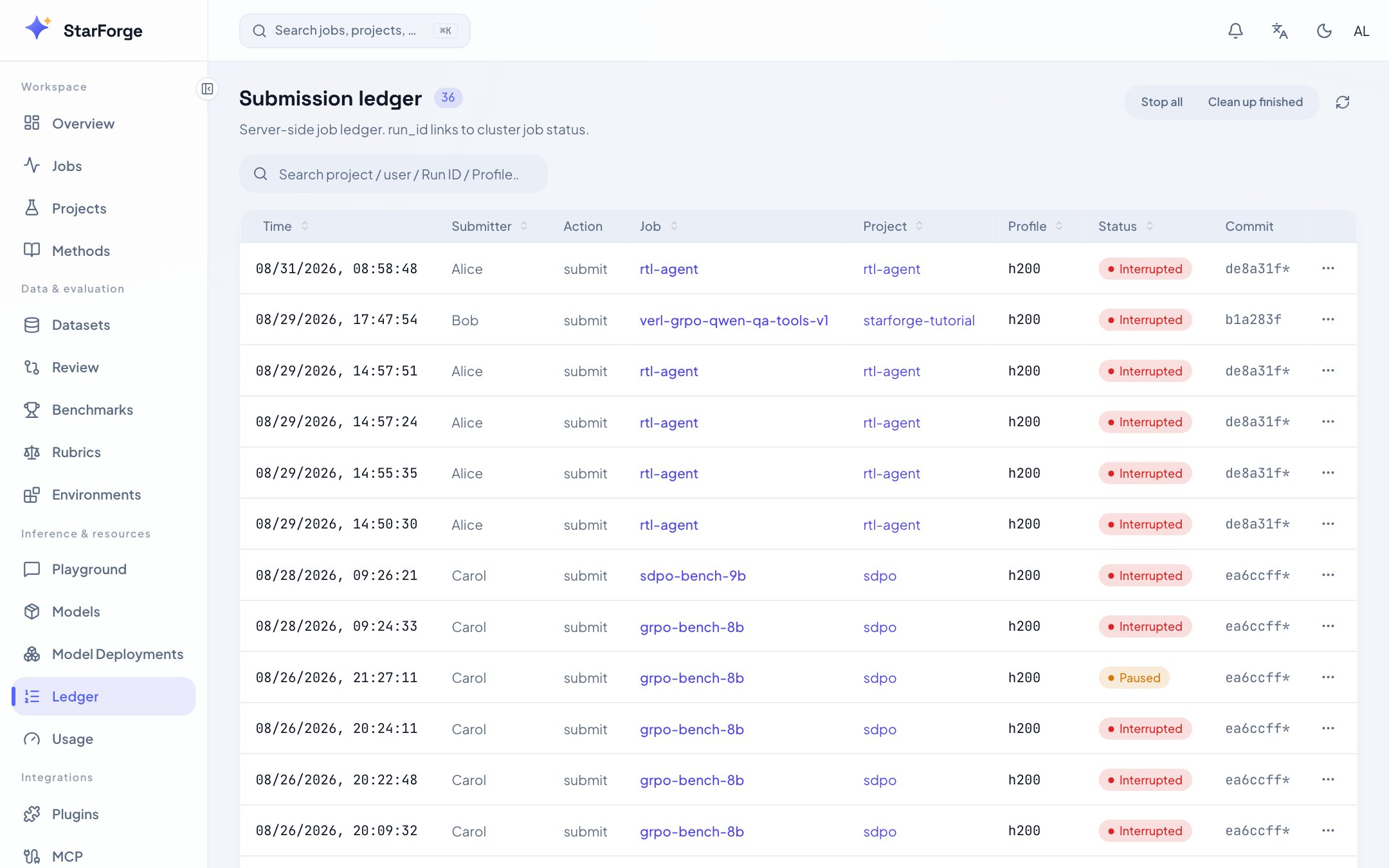
一份服务端台账——谁在什么时候、用什么 profile 提交了什么,以及最后怎么样了。
每个 `run_id` 都能点进对应的作业。
 ## 你会看到什么
| 列 | 是什么 |
| ----------- | ------------------------------------- |
| **Run ID** | 其他一切引用的身份:产物、`--init-from`、分享链接 |
| **项目** | 来自 `starforge.yaml` 里的 `name`,提交时自动附上 |
| **用户** | 谁提交的 |
| **Profile** | 申请的硬件 |
| **状态** | 最后停在哪 |
搜索会同时匹配项目、用户、run id 和 profile。
## run 和 job 不是一回事
**job** 是调度单位——可以暂停、恢复、重试,每次尝试仍是同一个 job。
**run** 是记录单位:它的目录里存着工作副本、输出和归档日志,存储记账与回收也都以它为单位。
引用之前的结果时这个区别就很重要:
```bash theme={"theme":{"light":"github-light","dark":"github-dark-dimmed"}}
sf submit my-dpo --init-from run/run-4f2a91/checkpoint@step=500
```
这里写的是 run id 而不是 job id,因为你要的是那个产物——而它比产出它的 job 活得更久。
## 你可以做什么
* 点一个 run 进入它的[作业详情](/zh-Hans/console/job-detail)。
* 搜索或筛选,然后复制 run id 用于 `--init-from` 或 `sf bench`。
* 从 run 跟进到[项目](/zh-Hans/console/projects),在仓库的上下文里看它。
## 你会看到什么
| 列 | 是什么 |
| ----------- | ------------------------------------- |
| **Run ID** | 其他一切引用的身份:产物、`--init-from`、分享链接 |
| **项目** | 来自 `starforge.yaml` 里的 `name`,提交时自动附上 |
| **用户** | 谁提交的 |
| **Profile** | 申请的硬件 |
| **状态** | 最后停在哪 |
搜索会同时匹配项目、用户、run id 和 profile。
## run 和 job 不是一回事
**job** 是调度单位——可以暂停、恢复、重试,每次尝试仍是同一个 job。
**run** 是记录单位:它的目录里存着工作副本、输出和归档日志,存储记账与回收也都以它为单位。
引用之前的结果时这个区别就很重要:
```bash theme={"theme":{"light":"github-light","dark":"github-dark-dimmed"}}
sf submit my-dpo --init-from run/run-4f2a91/checkpoint@step=500
```
这里写的是 run id 而不是 job id,因为你要的是那个产物——而它比产出它的 job 活得更久。
## 你可以做什么
* 点一个 run 进入它的[作业详情](/zh-Hans/console/job-detail)。
* 搜索或筛选,然后复制 run id 用于 `--init-from` 或 `sf bench`。
* 从 run 跟进到[项目](/zh-Hans/console/projects),在仓库的上下文里看它。